


Baby Zone for Toddler & Parent
4.5259.00 Reviews
App Specs
- Version
- 1.56
- Updated On
- License
- Free
- Downloads
- 100,000+
- Developer
- VRSeeds
- Categories
- Parenting
- Platform
- Android
Screenshots
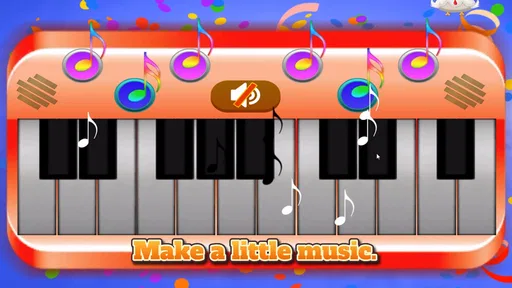
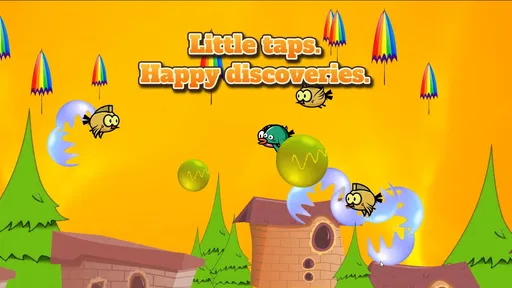

 Analysis by AppCompare
When a toddler wants your phone, the usual choices are not especially satisfying: hand over an unrestricted screen, start a video, or spend several minutes searching for something suitable. Baby Zone for Toddler & Parent takes a more focused approach. I found it most useful as a short, supervised activity that turns the phone into a simple play surface rather than an open gateway to everything else.
That distinction matters. This is a parenting app from VRSeeds, not a full nursery curriculum or a general entertainment library. Its purpose is to keep a young child occupied while encouraging basic coordination and early learning through touch. I would recommend it to parents who want a quick, controlled option during a small interruption, but I would not treat it as a replacement for conversation, physical play, books, or hands-on exploration.
From a busy moment to a more manageable break
The starting condition is easy to recognize. You may be preparing food, answering an important message, waiting for an appointment, or trying to finish one small task while your toddler is restless. In that moment, a phone can either create more work or provide a brief bridge between the child’s need for attention and your immediate responsibility.
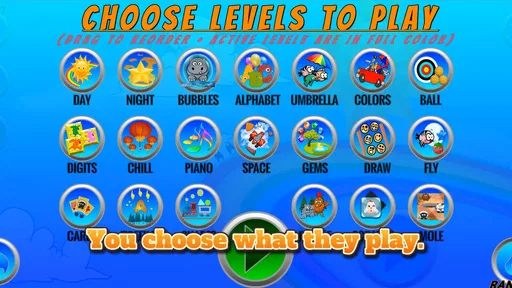
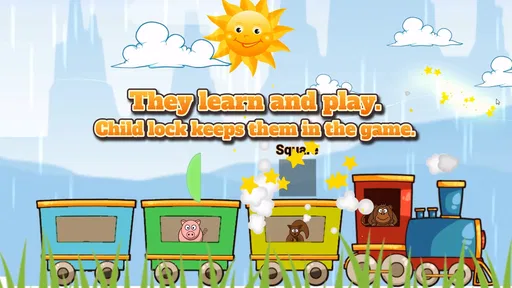
Baby Zone is built around that bridge. The store summary describes a locked-phone experience, which is one of its most practical ideas. Instead of giving a toddler normal access to the handset, the app aims to keep the child inside its own activity. That makes the handoff less stressful for a parent because the phone is being offered as a contained tool, not simply abandoned in small hands.
I still see supervision as important. A locked activity can reduce accidental taps and wandering into other apps, but it does not make a toddler independent of adult judgment. Children differ widely in how they respond to screens, and a child who becomes frustrated, overstimulated, or determined to leave the activity still needs a parent nearby.
The app is free to start, and its content rating is Everyone, so it is approachable for families looking for a low-risk first try. Optional in-app purchases range from $0.99 to $4.16 per item. I would begin with the free experience and watch how your child actually uses it before spending anything. A young child may enjoy the interaction for a few minutes, while another may lose interest quickly; the value depends more on that fit than on the number of available extras.
Preparing the handoff
My preferred workflow begins before the phone reaches the child. I open the app, lower distractions around us, and decide what the child is meant to do during the short break. That preparation sounds minor, but it changes the experience. If I am still trying to find the right screen while a toddler is grabbing for the device, the app becomes part of the problem.
Worth Reading Before You Choose

EA SPORTS FC Mobile 26 Is a Bigger Football Game, but It Takes Time

Flipboard Shows What News Apps Must Do Beyond the Feed

Switching to Android Auto Means Rethinking Your Driving Routine

Google Calendar Makes a Crowded Week Easier to Manage

Ludo King Makes the Most of the Minutes Between Plans

Baby Panda World Brings Quick Play to Modern Phones, but Its Game Library Feels Busy
I also make the physical setup sensible. A toddler is likely to hold the phone at an awkward angle, press with more force than necessary, or move it around while exploring. Using a sturdy case and placing the device on a stable surface can make the activity calmer. This is not a special feature of the app, but it is an important part of using a touch-based activity with a very young child.
The most useful handoff is brief and clear. I give the phone to the child already inside Baby Zone, show one interaction, and then let the child imitate it. I avoid explaining too much. Toddlers usually learn the point of a visual activity by trying it, not by listening to instructions. If the child immediately looks back at me, I treat that as a sign to participate rather than assuming the app has failed.
The best use is a planned short pause, not an all-purpose babysitter. That expectation keeps the app in its proper role. It can help fill a gap, but it should not be the only activity available during a long meal, a full journey, or an extended period when an adult cannot respond.
What the child does during the activity
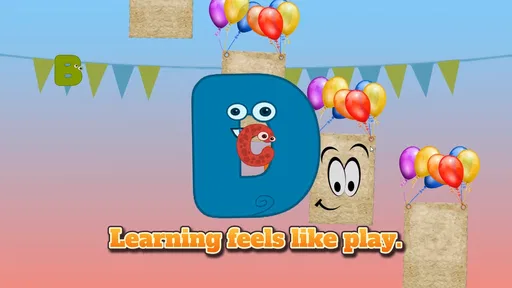
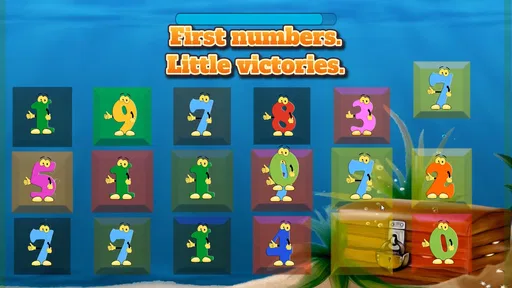
Once the child is engaged, the main appeal is the direct connection between touch and response. The app is intended to support coordination, so the child’s action on the screen becomes part of the learning loop. For a toddler, that simple relationship can be meaningful: touch, notice what happens, try again, and gradually become more deliberate.
I like this better than handing over a random video when the goal is active engagement. A video may hold attention, but it asks the child mainly to watch. Baby Zone gives the child something to do. That does not make every moment educational in a deep sense, but it gives the screen time a more participatory shape.
Parents should pay attention to how the child approaches the activity. Some toddlers tap rapidly without looking closely. Others pause, observe, and repeat one action. Both are normal early interactions, but the second pattern gives you more opportunity to build language around what is happening. I might say “you touched it,” “again,” or “look at that,” keeping the words connected to the child’s action instead of turning the session into a lesson.
One useful technique is to let the child try first, then copy the child’s pace. If I take over immediately, I may demonstrate a perfect interaction but remove the child’s chance to discover it. If the child is stuck, I use one gentle prompt and then wait. That small pause is valuable because it encourages problem-solving rather than making the parent the operator.
The app can also work as a shared activity between a toddler and another caregiver. A grandparent, older sibling, or babysitter can sit beside the child and turn the screen into a conversation starter. This is a stronger use than placing the phone out of reach and hoping it holds attention, because the adult can connect the on-screen action with real objects nearby.
Handoffs between screen play and real-world learning
The most effective outcome does not end when the child stops touching the screen. I would use the app as a prompt for a second activity. If the child has been practicing deliberate taps, I might follow with stacking blocks, turning pages, fitting large pieces together, or pointing to familiar objects. The phone supplies a short moment of focused interaction; the adult supplies the richer physical and social follow-up.
This is where Baby Zone differs from many ordinary phone alternatives. A general video app may require constant searching, recommendations, and content decisions. A standard game may introduce rules, scores, or challenges that are too demanding for a toddler. A passive cartoon may be easier to start but harder to turn into a shared learning moment. Baby Zone’s narrower purpose makes the transition to a simple offline activity more natural.
There is also a useful handoff from parent control to child exploration. I decide when to start and when to stop, but I do not need to direct every tap. That balance is important. The child gets a feeling of control inside a limited space, while the adult retains responsibility for the wider device and the length of the session.
For a busy morning, I might use it while moving laundry from one room to another, then put the phone away and invite the child to help match socks. During a restaurant wait, I might use it for a short stretch and then switch to pointing out colors, cups, or objects on the table. These transitions prevent the app from becoming the entire event and make its limited screen time more purposeful.
Another practical tip is to end before the child is completely absorbed. Toddlers often handle a planned ending better than an abrupt removal after frustration has already started. I give a simple warning, finish the current interaction, and take the phone back calmly. The app cannot solve every transition problem, but a predictable routine can reduce the feeling that the device has suddenly disappeared.
What I noticed about the parent’s role
Although the app is aimed at toddlers, the parent experience determines whether it is genuinely helpful. The locked-phone concept is valuable because it addresses a common worry: a child pressing something unrelated, changing settings, or leaving the intended activity. Still, parents should not confuse a restricted app environment with complete device security. I would keep the phone configured in a way that feels comfortable for the household and remain close enough to intervene.
The app’s age rating of Everyone makes it broadly accessible, but toddlers are not a single audience. A child who is just beginning to use touchscreens may need a great deal of demonstration. A more experienced preschooler may find the activity too basic. That is a key trade-off: simplicity helps very young users understand cause and effect, but it can limit the app’s appeal as children develop.
I would also consider the child’s sensory response. Some children enjoy bright, immediate feedback, while others become unsettled by fast or repetitive stimulation. If your child starts tapping more frantically, turns away, or becomes upset when the activity changes, I would stop rather than push through. The app is optional support, not a test the child has to complete.
Because the developer is VRSeeds and the current version is 1.56, the app has had time to mature beyond its original release on October 19, 2017. It is available for devices running Android 7.0 or later. That makes compatibility worth checking before a planned trip or appointment, especially if the phone is older. I would install and test it at home rather than discovering a device issue when a toddler is already waiting.
Where the workflow works especially well
The strongest scenario is a short interruption with a clear endpoint. Imagine preparing a meal while your toddler wants to be held and you need both hands for a few minutes. I would open Baby Zone before starting, place the phone in a safe position, show the child how touch creates a response, and stay within sight. Once the immediate task is finished, I would collect the phone and offer a non-screen activity nearby.
That workflow has four useful qualities. It is quick to begin, it gives the child an action rather than only a stream of content, it keeps the device focused on one purpose, and it has an obvious handoff back to the parent. Those qualities explain why the app can be more useful than a broad entertainment option even if it is less exciting.
It can also help during waiting periods when carrying toys is inconvenient. I would consider it for a short queue or a brief appointment delay, provided the child is not expected to remain occupied for a long time. The phone is easy to carry, and the activity can be introduced without bringing a complete toy set. That convenience is real, but it should be balanced with the possibility that the child may want the phone again after it is removed.
For families sharing one device, the app’s focused design may be preferable to handing over a parent’s usual phone environment. A toddler can explore within a more limited context, and the adult can keep the interaction centered on the child. I would still avoid treating it as a substitute for a dedicated child-friendly device if your family needs frequent, longer sessions or more extensive parental controls.
Where the flow breaks down
The main weakness is that the app cannot manufacture attention. Some toddlers simply do not enjoy touch activities, while others prefer real objects, movement, or direct interaction with a caregiver. If your child loses interest after a few seconds, repeating the handoff will not necessarily improve the result. In that situation, a board book, snack preparation task, or physical toy may be a better choice.
The simple design can also become limiting. Parents seeking detailed progress tracking, structured lessons, broad age-level adaptation, or a large range of activities may find this experience too narrow. It is closer to a focused toddler distraction and coordination aid than a complete parenting platform. That is not a flaw for its intended use, but it is a reason to choose another option when you want a more comprehensive learning system.
In-app purchases are another point to handle carefully. Since the app is free but offers items from $0.99 to $4.16, I would decide in advance whether optional additions are worth it for your family and keep the purchase process under adult control. A toddler should never be the person navigating any buying screen. Starting without purchases also gives you a clearer sense of whether the core experience fits your child.
The phone itself remains a source of friction. Even with the app’s locked-phone purpose, a toddler may drop the device, press too hard, or demand it after the session. A parent who needs complete silence or uninterrupted concentration should not rely on this app as a guarantee. The child may still need reassurance, and the adult may still need to manage the ending.
There is also the broader screen-time question. Baby Zone’s interactive format is more engaging than passive viewing, but interactive does not automatically mean unlimited or universally beneficial. I would keep sessions purposeful, vary the child’s activities, and watch behavior rather than following a rigid assumption that every child will respond in the same way.
Who should try it, and who should look elsewhere
I think Baby Zone is a good match for parents of toddlers who want a free starting point for short, supervised phone activities. It is especially suitable when the parent values a contained experience, wants the child to touch and explore rather than only watch, and is willing to participate in the handoff and follow-up.
It is less suitable for someone looking for a full educational program, a long-form entertainment solution, or a tool that removes the need for supervision. It may also be a poor fit for children who are not interested in screens or who become upset when a device is taken away. In those cases, a physical activity or a more flexible offline routine is likely to work better.
The app’s reception suggests that many families find the concept useful: it holds an average rating of 4.5 from around 1.2 thousand ratings, with over 100 thousand installs. I see those figures as a sign of meaningful interest rather than proof that every toddler will enjoy it. The real test is whether your child can engage calmly and whether you can end the session without turning the phone into a source of conflict.
For me, the deciding question is not “Will this keep my child quiet?” It is “Can this give us a short, manageable activity that leads back into ordinary family life?” When the answer is yes, the app earns its place as a practical backup. When the answer is no, its narrow design becomes more apparent.
My final take after using it as part of a routine
Baby Zone for Toddler & Parent works best when I treat it as one step in a complete routine: prepare the activity, hand over the phone, stay available, encourage the child’s own attempts, and then move naturally to a book, toy, conversation, or everyday task. Its strength is not endless content. Its strength is the focused path from a restless moment to a small amount of purposeful interaction.
I appreciate that it aims to make the phone less open-ended for a toddler and that it connects touch with coordination and early learning. The free entry point makes it easy to test, while the Everyone rating and Android 7.0 minimum make it accessible to many families with compatible devices. VRSeeds has kept the idea straightforward, which is both its appeal and its boundary.
I would recommend it as a supervised short-break tool, not as a substitute for parenting or play. Try it before you need it, decide how you will handle the handoff, and plan what comes next. If your child enjoys simple touch interaction and your family needs an occasional portable activity, Baby Zone for Toddler & Parent is worth trying. If you need deep lessons, extensive controls, or a solution that works without adult involvement, you will probably be happier with a different kind of parenting app or with an offline alternative.
Pros
- Simple activities are easy for toddlers to understand and start independently.
- Bright visuals and friendly sounds can keep young children engaged.
- Useful for short
- structured play sessions at home or while traveling.
- Parent-friendly design makes it easy to choose age-appropriate activities.
- Can support early learning through matching
- colors
- shapes
- and basic memory tasks.
Cons
- Some activities may become repetitive after frequent use.
- Limited challenge could reduce appeal for older or advanced toddlers.
- Sound effects may be distracting in quiet environments.
- Adult supervision is still needed during screen-based play.
- Features and content may vary depending on the device or app version.
FAQs for Baby Zone for Toddler & Parent
What is Baby Zone for Toddler & Parent?
Baby Zone for Toddler & Parent is designed as a family-focused app that brings toddler activities, parenting guidance, and age-appropriate content together in one place. It may help parents organize playtime, discover ideas for learning and development, and keep children engaged with simple activities. Before downloading, parents should review the app’s description, supported age range, and available features because the exact content can vary by device and version.
Is Baby Zone for Toddler & Parent suitable for my child’s age?
The app is primarily intended for toddlers and their parents, but suitability depends on the child’s individual development, attention span, and the specific activities included in the current version. Parents should check the recommended age range before installation and supervise younger children while using it. Digital activities should complement, rather than replace, physical play, conversation, reading, and other hands-on learning experiences.
Does Baby Zone for Toddler & Parent require an internet connection?
Some features of Baby Zone for Toddler & Parent may work offline after installation, while other content could require an internet connection to load, update, or display properly. This can also depend on whether the app includes videos, online resources, account synchronization, or advertisements. If you plan to use it while traveling, test the main activities in advance and check the store listing for current offline-use information.
Is Baby Zone for Toddler & Parent safe for children to use?
Parents should treat Baby Zone for Toddler & Parent as a supervised family app rather than leaving a toddler to use it independently for long periods. Review the available privacy settings, permissions, advertising policy, and any external links before allowing access. It is also sensible to enable device-level parental controls, avoid sharing unnecessary personal information, and verify whether purchases or account features can be restricted.
Is Baby Zone for Toddler & Parent free to download?
The app may be free to install, but some features, content, subscriptions, or in-app purchases could be restricted depending on the platform and region. Before downloading, carefully check the Google Play or App Store listing for pricing details, recurring charges, advertisements, and trial conditions. If your child uses the device, activate purchase authentication so accidental taps cannot result in unwanted payments.


